
Do you know how to delete an expired digital certificate? Did you know that the steps are very simple and quick? Read the text and find out more!
Announcements
The digital certificate is an electronic document similar to an ID or CPF, but it is used in digital environments.

What happens if my digital certificate expires?
The digital certificate is a mandatory electronic document for companies classified under the Presumed Profit regime that issues NF-e and some under the Simples Nacional, depending on the municipality.
Therefore, it is very important to keep an eye on the expiration date of this document so that you can delete it and purchase a new one.
This certificate is essential for those who issue Invoices and carry out many transactions on the internet, therefore, deleting it and issuing a new certificate is essential to maintain security in your virtual transactions.
This is because, after its expiration, the expired digital certificate is cancelled. In this case, the certifying entities advise the applicant to issue a new electronic document.
Now, check it out below How to delete expired digital certificate in different programs.
How to delete expired certificate from Windows?
By now you have realized how important it is to pay attention to the expiration date of your digital certificate, to delete it within the correct period, even after its automatic cancellation.
The good news is that you can do this yourself, without having to hire a service or person to perform the deletion.
In this topic you will discover How to delete expired digital certificate in Windows, let's go?
First, press the key Windows + R. Then type certmgr.msc in the run window and proceed.
In the next step, the certificate administration window will appear, then click on “Certificates”.
Now, right-click on the expired option and click “Delete”. Finally, a small confirmation window will appear saying:
- You will not be able to read data encrypted using this certificate. Do you want to delete it anyway?
Click on the “Yes” option and that’s it! You’ve learned How to delete expired digital certificate easily!

How to delete expired digital certificate from Token?
This option is a little more complicated, but you can also do it with a little calm and persistence.
The deletion method may vary depending on the Token or card model, but the step we will show you with the SafeNet Token will be very useful.
First, click on the menu Start > All Programs > SafeNet > SafeNet Authentication Client Tools.
In the second step, you will click on the “Advanced View” option, then select the file to be deleted and click on the “Delete certificate” button.
Now a small text box will appear asking if you want to proceed with deleting the digital certificate, just click on the “Yes” option.
After confirming, you will need to enter the Token PIN and click on the “Ok” button. Finally, confirm the deletion in the next window and that's it!
You already know How to delete expired digital certificate from Token! If you have any questions, visit the SERPRO website, the certifying entity, and follow the step by step with images.
How do I delete an A1 digital certificate?
The digital certificate is installed and stored on the computer or mobile devices. This way, it can be used on devices with different operating systems.
Therefore, the way How to delete an expired A1 digital certificate may vary depending on each device.
In the second topic you discovered how to delete from Windows, in the next topics you can check how to delete from Explorer and Chrome.
Check it out!
How to delete digital certificate in Internet Explorer?
The process is very similar to Windows, of course. First, click on the Windows key, it's right next to the left Alt and has the Windows symbol.
Then click on “Internet Options > Content > Certificates”. Now select the certificate you would like to remove and click “Remove”.
See, how simple and easy it is?
How to delete expired digital certificate in Chrome?

Open the browser and click on “Options” in the menu, then on the left side click on “Privacy and Security”.
If the option does not appear at the top, scroll to the bottom of the screen and click on “View Certificates”. Then the manager will open, click on “Your Certificates”.
Finally, click on the expired digital certificate option and press “Delete”.
Check the validity of the A1 certificate
Did you know that you can check the validity of your digital certificate, this way you can keep track of the deadline and not use an expired electronic signature.
To check the validity of your A1 document, do the following: open the Internet Explorer browser on the device where it is installed.
Then click on “Tools > Internet Options > Content > Certificates”, then check the validity in the “Expiration Date” column.
On Windows, click the “Windows + R”, in run window write certmgr.msc. When opening the certificate administration window, click on “Staff > Certificates” and double-click on the certificate you want to check the validity period of.
Immediately after double-clicking, a new window will appear showing data about the selected certificate, including its expiration date.
Check the validity of the A3 certificate
Insert the portable device into the computer or notebook, for example, Token or card. Use the USB input.
Now, open your Internet Explorer browser and click on “Tools > Internet Options > Content > Certificates”.
Finally, a small window will open where you can find information about the certificate, including its expiration date.
What is a digital certificate?
The digital certificate is an electronic identity for individuals or legal entities.
In other words, it works like a virtual identification card and has the same legal validity as a pen signature.
This tool has been available in our country since 2001, after the creation of IBrazilian Public Key Infrastructure – ICP Brasil.
However, in recent years, the digital certificate has become better known, as the technology has become even more important in the continuity of various operations and services during the Covid-19 pandemic.
Why do digital certificates have an expiration date?
The expiration date is a factor that helps increase the security of this resource.
Furthermore, the data of the individual or legal entity may change over time. Therefore, it is necessary to update the certificate.
In the case of a business, for example, partners may change. This means that a long-term certificate is more likely to become out of date.
These tools, for both individuals and companies, are valid for 1 to 3 years. It is best to check the validity of the certificate to schedule renewal!
How do I delete an expired digital certificate?
Have you discovered that your digital certificate has expired?
Fortunately, it is very easy to accomplish this setback.
To help you, we will show you some ways to delete an expired digital certificate:
Windows Certificate Manager
To start, press the Windows key on your keyboard (which is next to your left ALT) and the letter R at the same time.
You will see the “Run” window. Type the command “certmgr.msc” and then press the “Enter” key.
The certificate manager will then open. Now, click on “Personal” and then on “Certificates”.
Click on the expired certificate and then on the red X (which appears at the top of the screen). You can also press the “delete” key on your keyboard.
Mozilla Firefox
To begin, open your browser and access the Menu, which is located at the top right of the page.
Click on “Options”. Now, on the left side, go to “Privacy and security”. Scroll down to the bottom of the screen until you reach the option “View certificates”.
When you open the manager, go to the “Your Certificates” tab. Then, simply select the expired digital certificate and click on the “Delete” option.
For more information, you can visit the website of DocuSign, pioneering company in the development of electronic signatures.
What are the main types of digital certificates?
There are several different models, each of which applies to a specific case.
Therefore, before purchasing one, it is important that you analyze which one is best suited to your needs.
See below what the main types are:
Type A Certificate – Digital Signature
It is the most popular type of all.
Its main advantage is the creation of digital signatures, identifying the signature holder and ensuring the authenticity of the operation.
Therefore, the digital certificate has legal validity, similar to a physical signature.
The type A certificate is recommended for access to Social Connectivity and issuing invoices.
Type S Certificate – Confidentiality Certificates
Type S certificates are used to guarantee the secrecy and confidentiality of a transaction.
This means that with the use of type S, the document content should only be accessible to authorized people. This makes it safer to transmit confidential information over the network.
Through its use, it becomes possible to encrypt data in a document. It is recommended for organizations that want to protect valuable information.
What is the difference between A1 and A3 digital certificates?
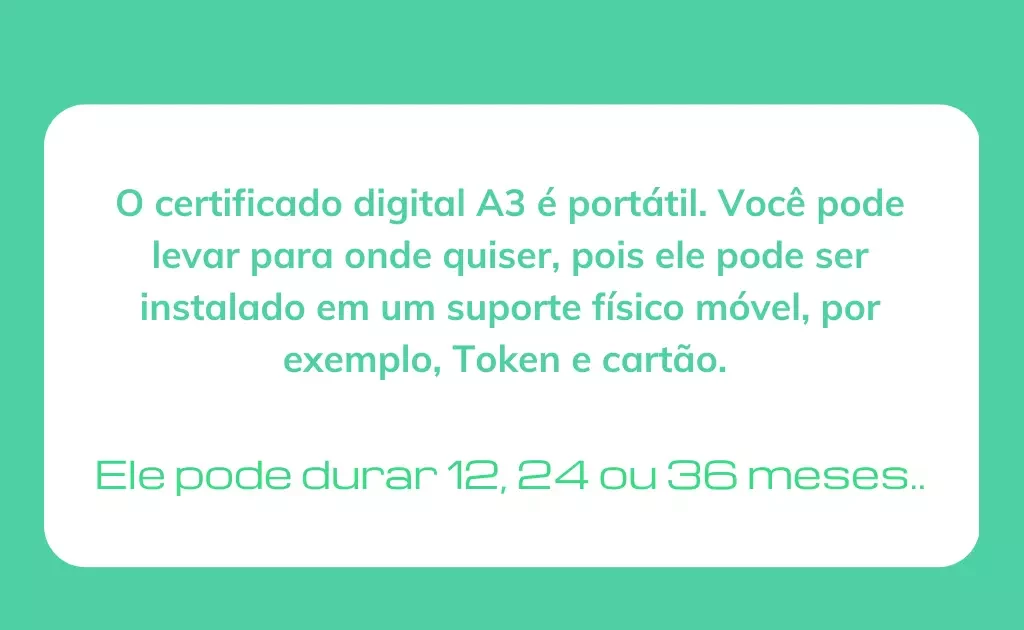
The A1 certificate, with simpler encryption, is valid for one year. It is issued directly to the computer and can be stored in the browser or in the cloud.
It can be accessed from any device and anywhere, all with great security, agility and practicality.
Type A3 can remain active for up to three years and has more advanced technology.
Can be stored on a cryptographic device, which can be, for example, a smart card, token and now also in the cloud.
What are the main advantages of the digital certificate?
The digital certificate is a tool that brings advantages to both individuals and companies.
See the main benefits of having a digital certificate:
Cost reduction
When a business starts using a digital certificate, it becomes possible to reduce costs with printing documents and expenses with notarization.
In addition, the company can also save on transportation costs for sending files, since with the digital document, sending can be done completely virtually.
Security
As you already know, a digital signature has the same legal value as a handwritten signature.
This guarantees the authenticity of the electronic document.
This document consists of company information, public key (associated with the corresponding private key) and digital signature from a trusted Certification Authority.
Convenience
Starting and completing processes digitally is something that brings practicality to people and companies.
When signing documents digitally, it is not necessary for the signatories to be in the same place. Therefore, the digital certificate brings more convenience, as you will no longer need to travel to sign.
Conclusion
Now that you've discovered how to delete expired digital certificate, know that it is important to carry out this process before renewing this document.
In fact, if you have already renewed your certificate but have not yet deleted the old one, be careful not to delete the certificate that will be renewed.
Be sure to delete this document and renew it, as it is not possible to carry out many procedures once it has expired.
As a result, you may be subject to legal sanctions and even fines and delays.
Read also👉27 financial market terms to know before you start investing